Weather Live - Forecast&Alert
DailyBetter LabsWeather
3.9181.00 Reviews
- Version
- 1.6.35
- Installs
- 500.00K
- Age Rating
- Everyone
Screenshots
Our Review of Weather Live - Forecast&Alert
 Analysis by Appyee
I rely on a weather app most when the day has no room for surprises: a commute, an outdoor errand, or deciding whether to carry a jacket. Weather Live - Forecast&Alert is built around that everyday need, with current conditions, forecasts, and alerts gathered in one place. My overall impression is that it aims to make a quick check easy while still offering more detail when I want to look beyond the temperature.
What the current version is trying to do
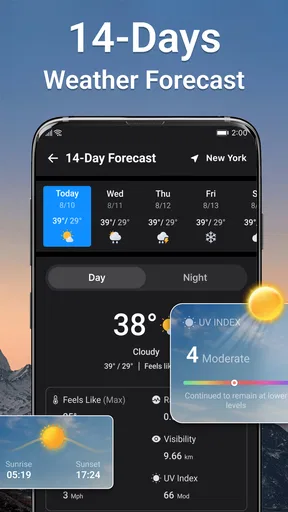
This is a free weather app from DailyBetter Labs, currently at version 1.6.02. Its main appeal is the combination of near-term planning and a longer outlook: the app promotes hourly forecasts and a view extending to 14 days, alongside real-time alerts. That range can be useful, but I treat the far end of any long forecast as a broad planning guide rather than a promise about the weather on a particular afternoon.
The distinction matters in practice. I would use the next few hours to decide whether to walk, cycle, or bring rain protection, then use the longer view to choose a flexible day for an outing. A forecast several days away can help me spot a likely pattern, but I would check again closer to the event before making plans that depend on precise conditions.
How I would fit it into a normal day
A realistic routine is to check the current conditions before leaving home, glance at the hourly outlook for the time I expect to return, and keep alerts available for changing conditions. If the morning looks clear but rain may arrive later, that second check can change whether I take a light layer or make a different travel choice. The point is not to watch the app constantly; it is to use its time-based view to answer a practical question before it becomes inconvenient.
I also find it helpful to separate a forecast from a decision. A rain indication does not automatically mean I should cancel a plan: the useful details are when conditions may change and whether I can adapt. For a short walk, an umbrella may be enough; for a long drive or an outdoor appointment, I would leave more room for uncertainty and recheck nearer the time.
Where it sits among weather apps
Compared with a basic weather screen that shows only the current temperature and a short outlook, this app is more useful for people who want both alerts and a longer planning horizon in the same tool. Compared with specialist forecasting services, its stated focus is more approachable than technical: it is intended to help with everyday decisions, not to replace expert interpretation for safety-critical work.
That is the trade-off I would keep in mind. If I only wanted a quick glance, a built-in phone weather view might be enough and could feel simpler. If I needed highly specialized meteorological analysis, I would choose a service designed for that purpose. I would pick this app when I want a straightforward daily check with extra forecast depth available when plans call for it.
Who is likely to get the most from it
It makes the most sense for someone who checks conditions before commuting, taking children outside, planning errands, or choosing when to do a garden task. It may also suit a traveler who wants to compare the near-term outlook with a broader trip window, while remembering that conditions can shift and checking again before departure.
On the other hand, I would not recommend relying on a general weather app as the sole source for a high-stakes decision. For mountain routes, marine travel, hazardous work, or an emergency, I would consult the relevant official local warnings and specialist sources as well. Alerts are useful prompts, not a substitute for judgment or a complete safety plan.
The First Impressions
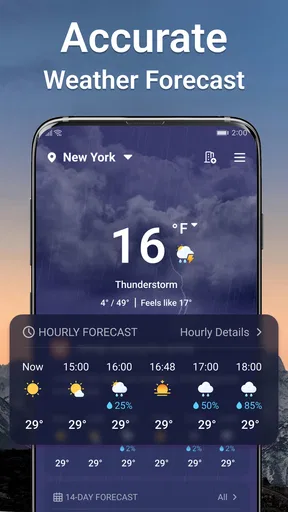
Opening Weather Live - Forecast&Alert for the first time, I was greeted by a sleek and colorful interface that felt both modern and user-friendly. It’s not just about the aesthetics, though; the app promises real-time updates, which is a lifesaver when the weather gets unpredictable. The main dashboard displays the current temperature, a vivid weather icon, and some basic info like humidity and wind speed. It’s all laid out in a very intuitive way.
Diving Deeper into Features
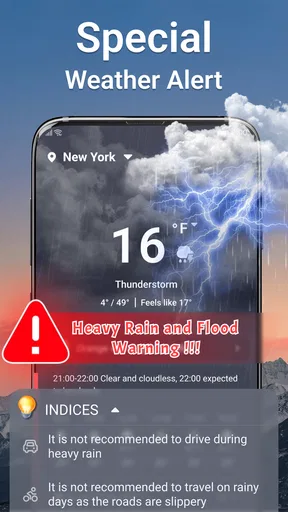
One of the standout features is the detailed hourly and 7-day forecast. You can swipe through and see how the weather will change throughout the day or plan for the week ahead. This is super handy if you're planning weekend trips or outdoor activities. The app also offers severe weather alerts, ensuring you’re never caught off guard by a sudden storm or heatwave.
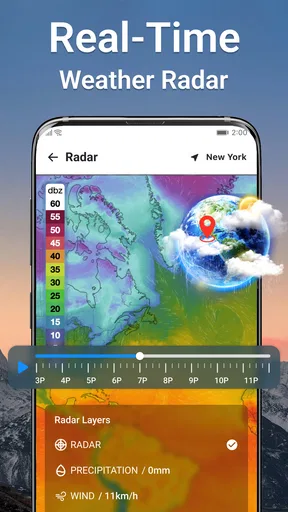
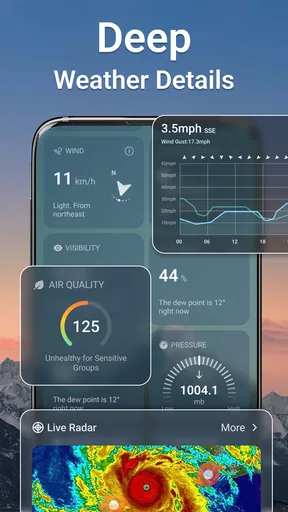
For those who love data, there’s a wealth of information available. From UV index to atmospheric pressure, it’s all there if you want to geek out on numbers. The radar map is another highlight. It’s interactive and lets you zoom in and out, tracking weather patterns in real-time. This can be particularly fun during stormy weather, watching the rain clouds move across the map.
User Experience and Performance
One thing I always worry about is how an app will perform on different devices. I tested it on a relatively old Android phone and a newer iPhone, and I’m happy to report it ran smoothly on both. The app loads quickly, and I didn’t experience any crashes or slowdowns. The developers have done a good job optimizing it for a range of devices.
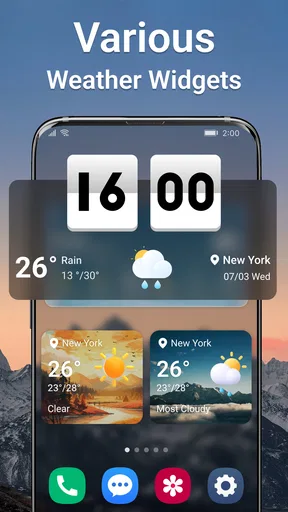
The app also offers a customizable widget for your home screen, which I found incredibly useful. You can choose what information you want displayed, and it updates automatically. No more opening the app just to check if it’s going to rain later!
Personal Observations
What I really appreciate about Weather Live - Forecast&Alert is its balance between being informative and easy to use. Some weather apps bombard you with too much data, but this one hits the sweet spot. The alerts are timely and have saved me from getting drenched more than once. And let’s be honest, not having to dig through cluttered menus just to find a simple forecast is a breath of fresh air.
The only hiccup I encountered was an occasional delay in loading the radar map on a weaker Wi-Fi connection. However, it wasn't a deal-breaker and resolved itself with a stronger internet connection.
Final Thoughts
All in all, Weather Live - Forecast&Alert is a solid choice for anyone looking to stay ahead of the weather. It combines a friendly user interface with powerful features, ensuring you get the information you need quickly and efficiently. Whether you're a casual user or a weather enthusiast, this app deserves a spot on your home screen. With its reliable forecasts and real-time updates, it’s like having a meteorologist in your pocket.
A sensible way to use alerts and longer outlooks
For me, an alert is most valuable when it changes what I do, rather than simply adding another notification to the day. I would keep attention on warnings relevant to the places and times I care about, then open the forecast to understand the timing before changing a plan. If a notification arrives while I am already indoors, it may only be a reminder to check conditions before heading out; if I am about to start a long outdoor activity, it deserves more attention.
The app’s 14-day outlook is useful for comparing possible dates, but I would avoid treating a specific early forecast as settled. A practical approach is to use it to choose a backup day, then make the final call using the nearer-term forecast. That small habit gets more value from a long-range view without letting an uncertain detail dictate a plan too early.
Small workflow choices that make it more useful
I would set up the widget around the information I check most often, rather than trying to display every available detail. A compact glance is best for leaving home; the full app is better when I need to compare hours or inspect more conditions. This keeps the home screen useful instead of turning it into a wall of numbers.
For a day with several stops, I would check the forecast around the times I expect to be outdoors, not just at breakfast. Weather can be manageable at one point in the day and inconvenient later, so a quick recheck before a return trip is more useful than repeatedly opening the app without a particular question in mind. When the radar takes time to load on a weak connection, I would use the basic forecast first and wait for the map only if seeing the rain’s movement would affect my route or timing.
What the app’s history and audience suggest
The app was released on February 7, 2025, and has reached more than 100,000 installs. Its average rating is 4.2 from around 570 ratings, with 110 written reviews. Those figures suggest that it has found an audience, but they do not tell me whether its forecasts will match every neighborhood or every user’s expectations. Local conditions and the needs of the person checking matter more than popularity alone.
It is rated for Everyone and requires Android 7.0 or later on Android. The app is free to install, with in-app purchases ranging from $1.99 to $9.99 per item. I would begin with the free experience and decide whether any paid option matters to my routine before spending money. For someone who only checks today’s temperature, paying for extras may not be worthwhile; a frequent user should judge any purchase by whether it adds something they actually use.
What to keep in mind before relying on it
Weather apps are only as useful as the forecasts and updates available for a user’s location, and a radar view can be less helpful when the connection is poor. I would therefore treat the app as a convenient everyday guide, not as a guarantee. If I were planning an event where a weather change could have serious consequences, I would verify conditions through local official warnings as well as checking this app.
One practical question is whether it can replace a built-in weather app. For casual checks, it may; the choice comes down to whether its longer outlook, alerts, map, and widget are features I want to keep together. Another is whether it is suitable for planning a trip well in advance: I would use the extended view to compare dates, then revisit the forecast as departure approaches. And if I prefer a minimal screen with no extra detail, the phone’s default option may be the better fit.
What I would watch as it develops
Because version 1.6.02 is the current release, I would judge future changes by whether they make the core tasks clearer: checking the next few hours, understanding an alert, and getting a useful result when the connection is less reliable. The app’s release and version identify its present state; they are not proof that any particular feature is planned or that an update will arrive on a certain schedule.
For existing users, the most meaningful test is whether everyday checks remain quick while deeper details stay easy to reach. I would also pay attention to how well the app serves the locations I actually visit, since a polished display cannot compensate for a forecast that is not useful where I need it. Until a change is available, I would base decisions on what the current version does rather than on expectations about future updates.
My recommendation in context
I would recommend this weather app to someone who wants more than a temperature tile but does not want a specialist dashboard as part of every check. Its mix of hourly and longer-range planning, alerts, a radar map, and a customizable widget gives me several ways to use it without making each visit feel like a research session.
I would skip it if I rarely check the weather, strongly prefer the simplest possible built-in display, or need specialist information for work or safety decisions. For everyone else, it is worth trying as a daily planning companion: start with the free version, tune the widget to your routine, and use longer forecasts as flexible guidance. That is where I think Weather Live earns its place—not by removing uncertainty, but by making it easier to plan around it.
Verdict
Strengths of Weather Live - Forecast&Alert
- Accurate real-time weather updates.
- User-friendly interface with clear visuals.
- Customizable widgets for home screen.
- Detailed forecasts with hourly updates.
- Severe weather alerts to keep you safe.
Limitations of Weather Live - Forecast&Alert
- Frequent ads can disrupt user experience.
- Premium features locked behind paywall.
- Occasional delay in weather updates.
- High battery consumption during use.
- Limited offline functionality available.
Similar Picks in This Category
View All
Weather - By Xiaomi
Xiaomi Inc.4.1

Weather & Radar Forecast
WetterOnline4.8

Weather
OneLouder Apps4.6

AccuWeather: Weather Radar
AccuWeather3.6

The Weather Channel - Radar
The Weather Channel4.6

1Weather Forecasts & Radar
OneLouder Apps4.3
Frequently Asked Questions
What features does Weather Live - Forecast&Alert offer?
Weather Live - Forecast&Alert provides real-time weather updates, detailed forecasts, and severe weather alerts. It includes interactive radar maps, temperature graphs, and customizable widgets. Users can also access sunrise and sunset times, air quality index, and UV index for better planning of outdoor activities.
How accurate is the weather data provided by the app?
Weather Live - Forecast&Alert sources its data from multiple reliable meteorological agencies to ensure high accuracy. It uses advanced algorithms to process the data and provide precise forecasts. Users have reported that the app offers accurate short- and long-term predictions, but it's always good to cross-reference with local sources.
Is Weather Live - Forecast&Alert free to use?
The app is available for free with basic features. However, it offers a premium version that includes ad-free usage, extended forecasts, and more detailed radar maps. The premium subscription can be purchased on a monthly or annual basis, providing enhanced features for avid weather watchers.
Does the app support notifications for severe weather alerts?
Yes, Weather Live - Forecast&Alert provides push notifications for severe weather alerts, ensuring users receive timely updates about storms, heavy rain, or other extreme conditions. Notifications can be customized based on user preferences, allowing them to select which alerts they wish to receive.
Can I use Weather Live - Forecast&Alert internationally?
Absolutely, Weather Live - Forecast&Alert offers global weather support. It provides forecasts for cities and regions worldwide, making it a handy tool for travelers. Users can easily switch between locations to view current conditions and forecasts for different parts of the world.
